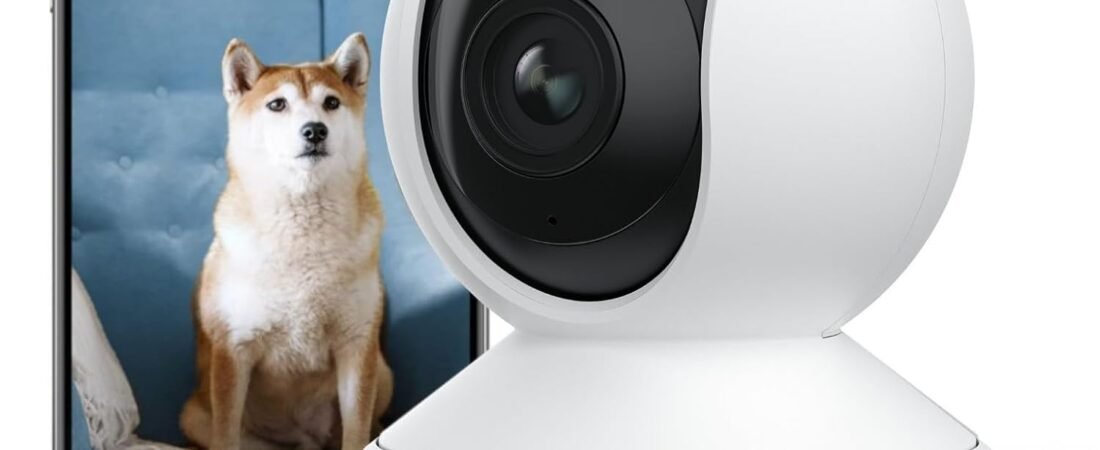
Indoor security cameras have become useful tools for monitoring homes, offices, apartments, workshops, and other indoor spaces. Instead of relying only on occasional physical checks, a connected camera can provide a visual view of a room and, depending on its features and configuration, allow users to check activity remotely.
The REOLINK 4K Indoor Camera with 3X Optical Zoom, Dual-Band WiFi 6, and E1 Zoom is designed for indoor monitoring with an emphasis on high-resolution video, flexible viewing, and wireless connectivity. Its combination of 4K video, optical zoom, and network connectivity can be useful in situations where users want more detail than a basic fixed indoor camera provides.
The E1 Zoom concept is particularly relevant for users who need flexibility when observing a room. Rather than having the camera permanently limited to one narrow viewing position, a motorized indoor camera can provide a broader approach to monitoring and allow users to adjust the view when necessary.
At the same time, a home security camera is only one component of a broader security and privacy setup. Network reliability, camera placement, account security, storage options, lighting conditions, software configuration, and privacy practices all affect how useful a connected camera can be.
This guide explains the main characteristics of the REOLINK E1 Zoom, how its features can be used in everyday situations, what to consider before installing an indoor camera, and how this type of device compares with other common camera categories.
Understanding the REOLINK E1 Zoom
The E1 Zoom belongs to the indoor pan-and-tilt camera category. This type of camera is designed to provide more flexible room coverage than a stationary camera.
The product listing identifies several notable characteristics, including 4K video, 3X optical zoom, dual-band Wi-Fi 6 connectivity, and the E1 Zoom platform.
These features address different parts of the indoor monitoring experience.
4K relates primarily to image resolution. Optical zoom concerns the camera’s ability to magnify a subject using the lens rather than relying solely on digital enlargement. Dual-band Wi-Fi 6 relates to network connectivity, while the motorized camera design allows the viewing direction to be adjusted.
Understanding how these features work together is more useful than considering them as isolated specifications.
Key Features of the REOLINK E1 Zoom
4K Ultra HD Video
One of the most significant characteristics of the camera is its 4K video capability.
A 4K image contains substantially more pixels than Full HD video. This can provide additional visual detail when viewing objects within the camera’s field of view.
Higher resolution can be particularly useful in indoor environments where users may want to distinguish details such as objects on a desk, activity across a room, or people moving through a monitored area.
However, resolution is only one part of image quality.
Lighting, lens quality, compression, network conditions, viewing distance, and the camera’s image-processing system can all affect what the final video looks like.
A 4K camera therefore should not be interpreted as producing identical image quality under every lighting condition. A well-lit room generally provides the camera with more information to work with than a dark or poorly illuminated space.
3X Optical Zoom
The 3X optical zoom is another important feature.
Optical zoom uses the camera’s lens to change magnification. This differs from digital zoom, which enlarges pixels from an existing image and can reduce the amount of useful detail as magnification increases.
A physical optical zoom system can be useful when the camera is positioned far enough away from an area that a subject or object may otherwise appear small.
For example, imagine a camera positioned in a living room. A user may want to observe a particular part of the room without physically moving the camera. Optical zoom can provide additional flexibility when examining an area within the camera’s view.
The practical benefit depends on the camera’s field of view, positioning, lighting, and the distance between the camera and the subject.
Indoor Pan-and-Tilt Monitoring
An indoor PTZ-style camera can change its viewing direction through motorized movement.
This is different from a fixed camera, which continues looking in one direction after installation.
Pan generally refers to horizontal movement, while tilt refers to vertical movement. Together, these movements allow the camera to cover a larger portion of a room.
This can be useful in rooms where important areas are located in different directions.
For example, a home office could contain a desk on one side and an entrance on another. A flexible camera position can make it possible to observe different parts of the room without installing multiple fixed cameras.
The actual movement range and control options should be checked against the manufacturer’s current specifications and software documentation.
Dual-Band Wi-Fi 6
The product is described as supporting dual-band Wi-Fi 6.
Dual-band connectivity generally refers to support for both 2.4 GHz and 5 GHz wireless networks. Each band has different characteristics.
The 2.4 GHz band generally provides better range and can be more useful when a device is located farther from a router or separated by several walls. The 5 GHz band can offer higher wireless throughput but typically has shorter practical range through walls.
Wi-Fi 6 is a newer Wi-Fi standard designed to improve wireless efficiency and performance under appropriate network conditions.
However, using a Wi-Fi 6 camera does not automatically mean that every home network will provide maximum Wi-Fi 6 performance. The router, network configuration, wireless interference, distance, walls, and connected devices all affect real-world connectivity.
Remote Viewing
A connected indoor camera can provide remote access through compatible software or applications, depending on the manufacturer’s current features and account configuration.
Remote viewing can be useful when someone wants to check a room while away from home.
For example, users may want to check:
- Whether a package has been brought indoors
- Whether a pet is in a particular room
- Whether children are in a designated area
- Whether an office or workspace is occupied
- Whether something unusual has occurred
- Whether a room is currently empty
Remote viewing depends on network connectivity and the camera’s software ecosystem. If the camera or home network loses connectivity, remote access may be interrupted.
How 4K Resolution Can Help With Indoor Monitoring
Higher resolution can be particularly valuable when a camera is positioned to cover a relatively large room.
Consider a camera installed in one corner of a living room. Objects close to the camera may occupy a substantial part of the image, while objects at the opposite side of the room may occupy considerably fewer pixels.
A higher-resolution sensor can provide more image information across the scene.
This can make digital viewing and cropping more useful, although the final level of detail still depends on distance and lighting.
It is also important to remember that 4K does not mean that every small detail will automatically be identifiable. A camera cannot recover information that was never captured because of darkness, excessive distance, motion blur, obstruction, or insufficient lens performance.
How the Camera Can Be Used Around the Home
Living Room Monitoring
The living room is a common location for an indoor camera because it is often a central area of the home.
A camera positioned appropriately can provide a broad view of the room and allow users to check activity remotely.
Pan-and-tilt functionality can be useful when the room contains several important areas.
Home Office Monitoring
A home office can contain computers, documents, electronics, and other equipment that users may want to monitor when they are away.
An indoor camera can provide a visual check of the workspace.
However, privacy should be considered carefully if the room is also used by other household members or visitors.
Pet Monitoring
Indoor cameras are frequently used to observe pets when owners are away.
A flexible camera can make it easier to check different areas of a room rather than relying on one fixed viewing angle.
For example, a user may want to observe whether a pet is resting, moving around, or spending time in a particular part of the room.
A camera should not be considered a replacement for appropriate pet care or supervision when an animal requires direct attention.
Baby and Child Areas
A camera can provide parents or caregivers with a way to visually check an indoor area.
When used around children, privacy and account security become especially important. Access should be limited to authorized people, and the camera should be positioned so that it captures only the area that actually needs monitoring.
A connected camera also should not be treated as a replacement for direct supervision when a child needs immediate attention.
Entry Areas
Some users may position an indoor camera so that it covers an interior entryway.
This can provide a visual record of activity inside the home.
The camera should generally be positioned to cover the intended area without unnecessarily capturing private spaces such as bedrooms or bathrooms.
Small Business and Office Spaces
An indoor camera can also be useful in offices, studios, reception areas, workshops, and other work environments.
Businesses should consider applicable privacy and employment laws before installing cameras in workplaces.
Employees, visitors, customers, and contractors may have privacy rights depending on the jurisdiction and circumstances.
Using Optical Zoom Effectively
Optical zoom is most useful when the camera has a suitable physical position.
Suppose a camera is placed too close to a subject. Zoom may not provide the intended benefit because the subject already occupies a large portion of the image.
On the other hand, if the camera is placed farther away, optical zoom can help bring a specific part of the scene closer into view.
A useful approach is to think about the room first and the camera second.
Identify the areas that need monitoring and determine where the camera can be positioned to provide useful coverage. After that, consider whether optical zoom adds value for observing specific areas.
This approach is generally more effective than installing the camera randomly and attempting to solve coverage problems entirely through zoom.
Placement Considerations
Camera placement can influence image quality and usefulness as much as the specifications themselves.
Avoid Direct Backlighting
If a bright window is directly behind a subject, the subject can appear dark because the camera is exposed to the brighter background.
Positioning the camera so that major light sources are not directly behind important areas can improve visibility.
Consider Room Lighting
A camera’s performance can change substantially between daylight and nighttime.
If the room becomes very dark, users should understand how the camera’s low-light or night-vision capabilities behave rather than assuming 4K resolution alone will solve the problem.
Choose a Stable Surface
A stable mounting location helps keep the camera properly positioned.
If the camera is frequently bumped or moved, the intended viewing area may no longer align with the original setup.
Think About Privacy
Avoid placing cameras in areas where people reasonably expect strong privacy.
Bedrooms, bathrooms, changing areas, and similar spaces require particular caution.
Even in common areas, it is worth considering whether the camera captures more of the home than necessary.
Network Considerations for Wi-Fi Cameras
A wireless security camera depends on a reliable network connection.
The quality of the camera’s connection can be influenced by:
- Router location
- Distance from the router
- Walls and floors
- Wireless interference
- Network congestion
- Router capabilities
- Number of connected devices
- Internet service performance
Wi-Fi 6 can improve network efficiency, but it does not eliminate these physical limitations.
If a camera is placed in a distant room, a strong signal at the router does not necessarily mean the camera itself will have a strong connection.
Users can improve reliability by choosing a sensible camera location, positioning the router appropriately, or using a suitable mesh or access-point configuration where necessary.
Local Network vs. Internet Connectivity
It is useful to distinguish between Wi-Fi connectivity and internet connectivity.
A camera may communicate with a local router over Wi-Fi, while remote viewing from outside the home generally requires internet connectivity and whatever cloud or remote-access infrastructure the manufacturer supports.
If the internet connection fails, local network functionality and remote access may behave differently depending on the camera’s design.
Users should therefore examine the manufacturer’s documentation for the exact storage, remote-access, and connectivity architecture of the particular model.
Storage and Recording Considerations
Security cameras can handle video storage in several ways.
Common approaches include:
- microSD card storage
- Cloud storage
- Network video recorders
- Computer-based recording
- Hybrid storage configurations
The availability of a particular storage method depends on the camera and the manufacturer’s ecosystem.
Storage capacity also affects how much recorded footage can be retained. Higher-resolution video generally requires more storage space than lower-resolution video.
For users who plan to record continuously, storage requirements can become significantly larger than for users who only save selected clips.
It is therefore useful to determine whether recording will be continuous, event-based, scheduled, or manually initiated.
Privacy and Security for Connected Cameras
A network-connected camera should be treated like any other internet-connected device.
The camera may capture highly private information, including the interior of a home and the activities of people inside it.
Several security practices can reduce unnecessary exposure.
Use a Strong Account Password
Avoid reusing the same password across multiple services.
A unique password reduces the impact if another online account becomes compromised.
Enable Multi-Factor Authentication When Available
If the manufacturer’s account system supports multi-factor authentication, enabling it can add another layer of protection.
Keep Firmware Updated
Camera manufacturers periodically release firmware updates that can include improvements and security fixes.
Keeping supported devices updated can reduce exposure to known software issues.
Limit Account Access
Only give camera access to people who actually need it.
Review shared accounts and permissions periodically.
Secure the Home Network
The camera’s security is connected to the security of the network to which it is attached.
Using a properly secured router and keeping router firmware current can help protect connected devices.
Who May Find the REOLINK E1 Zoom Suitable?
The camera’s feature set can make this type of device relevant to several groups.
Homeowners
Homeowners may use an indoor camera to monitor common areas and check activity while away.
Apartment Residents
The compact indoor format can be useful for renters who want monitoring without installing a more extensive security system.
Renters should check their lease and building rules before drilling or permanently mounting equipment.
Pet Owners
The ability to view a room remotely can help users check on pets during periods when they are away.
Remote Workers
A home-office camera can provide an additional layer of awareness around a workspace.
Small Offices
Businesses may use indoor cameras to monitor designated areas, subject to applicable privacy requirements.
Technology Enthusiasts
Users interested in smart-home technology may appreciate the combination of high-resolution video, motorized viewing, optical zoom, and modern wireless networking.
Important Things to Consider
4K Requires More Data
High-resolution video can require more bandwidth and storage than lower-resolution video.
If a network connection is weak, users may experience reduced streaming quality or interruptions.
Wi-Fi 6 Does Not Guarantee a Perfect Connection
The camera’s wireless standard is only one part of the network.
A Wi-Fi 6 router, strong signal, low interference, and appropriate placement all contribute to better connectivity.
Optical Zoom Is Not the Same as Unlimited Magnification
3X optical zoom provides a defined magnification range.
It does not turn a distant subject into a close-up regardless of distance.
Camera Placement Remains Important
A feature-rich camera cannot compensate completely for poor positioning.
A camera hidden behind furniture, pointed toward a bright window, or placed where Wi-Fi coverage is weak may not provide the expected experience.
Privacy Should Be Planned Before Installation
Indoor cameras can capture sensitive information.
Before installing one, decide which areas actually need monitoring and whether everyone who may be recorded has been appropriately informed where required.
Technology Can Fail
Power outages, network interruptions, software problems, hardware failures, and other technical issues can temporarily affect camera functionality.
For critical security applications, a camera should generally be considered one part of a broader security strategy rather than the only protective measure.
Comparing General Indoor Camera Categories
Different camera types are designed around different priorities.
Fixed Indoor Cameras
Fixed cameras remain pointed in one direction.
They can be straightforward to position and are often suitable when one particular area needs monitoring.
The trade-off is reduced flexibility.
Pan-and-Tilt Indoor Cameras
Pan-and-tilt cameras can change their viewing direction.
This can provide broader room coverage from a single camera position.
The trade-off is that mechanical movement adds another component to the system and does not necessarily mean every part of a large room can be viewed equally well at the same time.
Pan-Tilt-Zoom Cameras
PTZ cameras combine movement with zoom capabilities.
They can be useful when users want to move between different parts of a room and examine a particular area more closely.
Indoor vs. Outdoor Cameras
Indoor cameras are generally designed for controlled indoor environments.
Outdoor cameras typically require weather-resistant construction and may have features specifically designed for rain, dust, temperature changes, and outdoor installation.
An indoor camera should not automatically be installed outdoors unless the manufacturer specifically indicates that it is suitable for those conditions.
Wired vs. Wi-Fi Cameras
Wired cameras can provide a more stable network connection when properly installed.
Wi-Fi cameras are generally easier to position and relocate because they do not require a dedicated network cable.
The trade-off is dependence on wireless signal quality.
A Practical Setup Checklist
Before installing the REOLINK E1 Zoom, consider the following checklist:
- Identify the area that actually needs monitoring.
- Choose a location with an appropriate viewing angle.
- Check Wi-Fi signal strength at the intended position.
- Keep the camera away from unnecessary privacy-sensitive areas.
- Consider lighting conditions during both day and night.
- Determine how recordings will be stored.
- Configure the manufacturer’s application and account securely.
- Use a strong, unique password.
- Enable additional account security features where available.
- Install firmware updates when appropriate.
- Test remote viewing.
- Confirm that the camera covers the intended area.
- Review who has permission to access the camera.
- Test recording and playback if recording is part of the setup.
- Recheck the camera position after installation.
Taking a few minutes to plan the installation can prevent many common problems later.
Frequently Asked Questions
What is the REOLINK E1 Zoom?
The REOLINK E1 Zoom is an indoor network camera designed for home and indoor monitoring. The product listing identifies 4K video, 3X optical zoom, dual-band Wi-Fi 6, and the E1 Zoom configuration among its features.
What does 3X optical zoom mean?
3X optical zoom refers to magnification performed through the camera’s optical system rather than simply enlarging existing pixels digitally.
It can provide more flexibility when viewing objects that are farther away within the camera’s scene.
Is 4K useful for an indoor security camera?
4K can provide more image detail than lower-resolution formats, particularly when viewing larger rooms or examining portions of a scene.
However, actual image quality also depends on lighting, lens quality, distance, compression, and network conditions.
Does Wi-Fi 6 make the camera work without internet?
No.
Wi-Fi 6 describes the wireless networking technology used for communication with a compatible network. Internet access and remote features are separate considerations.
The exact behavior during an internet outage depends on the camera’s local and remote functionality.
Can the camera monitor a whole room?
A pan-and-tilt indoor camera can cover a larger portion of a room than a fixed camera when positioned appropriately.
However, room shape, furniture, viewing angle, camera movement range, and mounting location all affect practical coverage.
Can I use it to monitor pets?
An indoor camera can be used to check on pets remotely.
It can provide visual information about where an animal is and what it is doing, but it should not replace appropriate care, feeding, exercise, or supervision.
Can I use it in a bedroom?
Technically, an indoor camera can be installed in many rooms, but bedrooms involve significant privacy considerations.
Users should carefully consider whether recording is necessary and ensure that access is limited to authorized people.
Does 4K guarantee clear video at night?
No.
Resolution alone does not determine low-light performance.
Nighttime image quality depends on the camera’s low-light system, available illumination, exposure, image processing, and other factors.
Does optical zoom work better than digital zoom?
Optical zoom changes magnification through the lens, while digital zoom enlarges the captured image.
Optical zoom can generally preserve more of the original image detail at its specified magnification compared with simply enlarging pixels digitally.
Can the camera replace a complete home security system?
An indoor camera can provide useful visual monitoring, but it does not necessarily replace every component of a comprehensive security system.
Door sensors, alarms, outdoor cameras, locks, lighting, professional monitoring, and other measures address different security needs.
What should I do if the Wi-Fi signal is weak?
First, check the camera’s distance from the router and the obstacles between them.
Moving the camera or router, improving wireless coverage, or using an appropriate mesh or access point can help. Users should avoid assuming that Wi-Fi 6 automatically solves a weak-signal problem.
How should I protect access to an indoor camera?
Use a unique strong password, keep firmware updated, enable multi-factor authentication if available, secure the home network, and limit camera access to people who need it.
Can businesses use an indoor camera?
Businesses can use indoor cameras for legitimate operational or security purposes, but privacy, employment, surveillance, and data-protection requirements may apply depending on the location and circumstances.
Businesses should review applicable local laws and policies before recording employees, customers, or visitors.
Conclusion
The REOLINK 4K Indoor Camera with 3X Optical Zoom, Dual-Band Wi-Fi 6, and E1 Zoom brings several useful technologies together in a compact indoor monitoring format. Its 4K resolution is designed to provide detailed video, while 3X optical zoom provides additional flexibility for viewing specific areas. The motorized indoor camera design can also make it easier to monitor different portions of a room than a fixed camera would allow.
Dual-band Wi-Fi 6 adds a modern wireless connectivity option, although actual performance will still depend on the router, signal strength, network traffic, interference, and camera placement.
For homeowners, renters, pet owners, remote workers, and other users who need indoor visual monitoring, the combination of flexible viewing and high-resolution video can be useful in a variety of situations. The most effective installation, however, is not necessarily the one with the most features. It is the one where the camera is positioned appropriately, connected to a reliable network, configured securely, and used for a clearly defined monitoring purpose.
Privacy should remain part of the setup process from the beginning. An indoor camera can capture sensitive information, so users should carefully select the monitored area, protect account credentials, restrict access, and follow applicable privacy requirements.
As with any connected security device, the camera should also be viewed as one part of a broader approach to home or workplace security. Network reliability, physical security, responsible camera placement, software updates, and sensible access controls all contribute to the overall usefulness of the system.